
How to Split Video Online Without Losing Quality 2026
Sometimes you just need part of a video — not the whole thing.
Maybe it’s a 40-minute webinar and you only want the best 2 minutes. Or you recorded a tutorial and realized the intro went on way too long. Instead of downloading heavy editing software, many people now prefer to split video online directly in their browser.
But here’s the real question:
Can you split video online without losing quality? And is an online video splitter actually good enough?
Let’s break it down.
What Does It Mean to Split a Video?
To split a video simply means dividing one file into multiple smaller sections. You’re not necessarily editing the content — you’re just cutting it into parts.
For example:
- Turning a 30-minute recording into 5 short clips
- Extracting highlights for social media
- Breaking a lecture into chapters
When people search for a video splitter online, they’re usually looking for something quick and practical. Not professional film editing. Just a clean way to cut video online without overcomplicating things.
And honestly? That’s completely reasonable.
When Should You Split Video Online?
There are plenty of real-world situations where splitting a video makes more sense than fully editing it.
Split long video into parts online
Large recordings can feel overwhelming. Instead of sharing a single massive file, it’s often better to split long video into parts online so viewers can watch in manageable chunks.
This is especially useful for:
- Online courses
- Recorded meetings
- Tutorials
- Gaming sessions
Smaller segments improve viewer retention. People are more likely to finish a 3-minute clip than a 45-minute file.
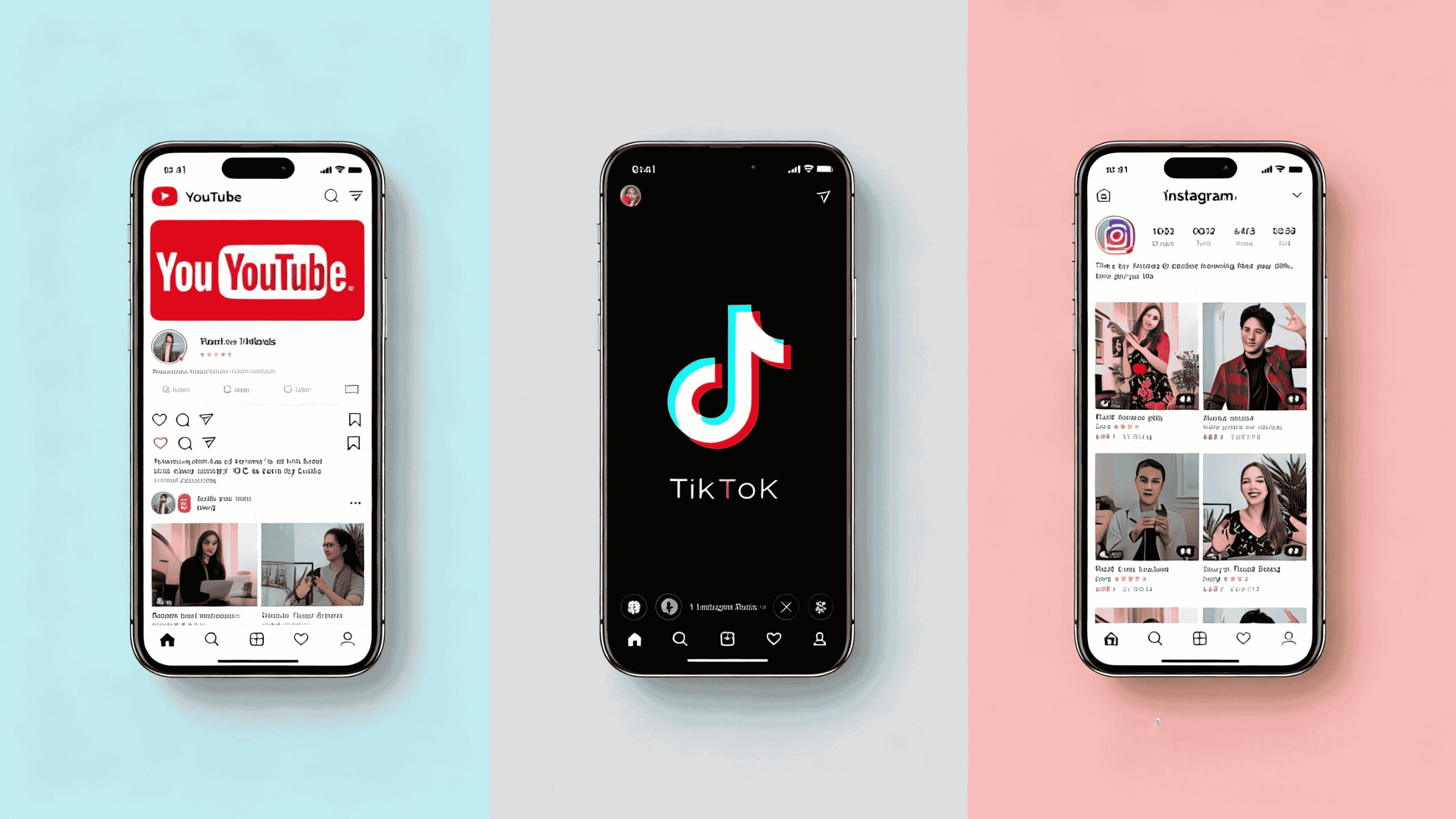
Split video online for YouTube
YouTube favors structured content. If you upload shorter clips instead of one long video, you can:
- Target different keywords
- Improve watch time
- Create focused titles
Many creators split video online for YouTube so they can repurpose content efficiently.
Split video online for TikTok
TikTok content needs to be fast and punchy. Cutting a long horizontal video into short vertical segments is a common workflow.
Instead of exporting everything into editing software, some creators just use a browser-based online video splitter to extract the best moments and upload instantly.
Split video into clips for Instagram
Instagram Reels and Stories require shorter durations. Breaking a longer recording into highlights makes posting much easier.
In this case, using a video splitter online is often faster than downloading an app.
Split video into chapters online
Educational content benefits from organization. Dividing videos into chapters allows students to navigate specific topics.
If you’re teaching or presenting, splitting by section simply makes things cleaner.
How to Split Video Online Step by Step
If you’re wondering how to split video online free, the process is usually straightforward.
Here’s what it typically looks like:
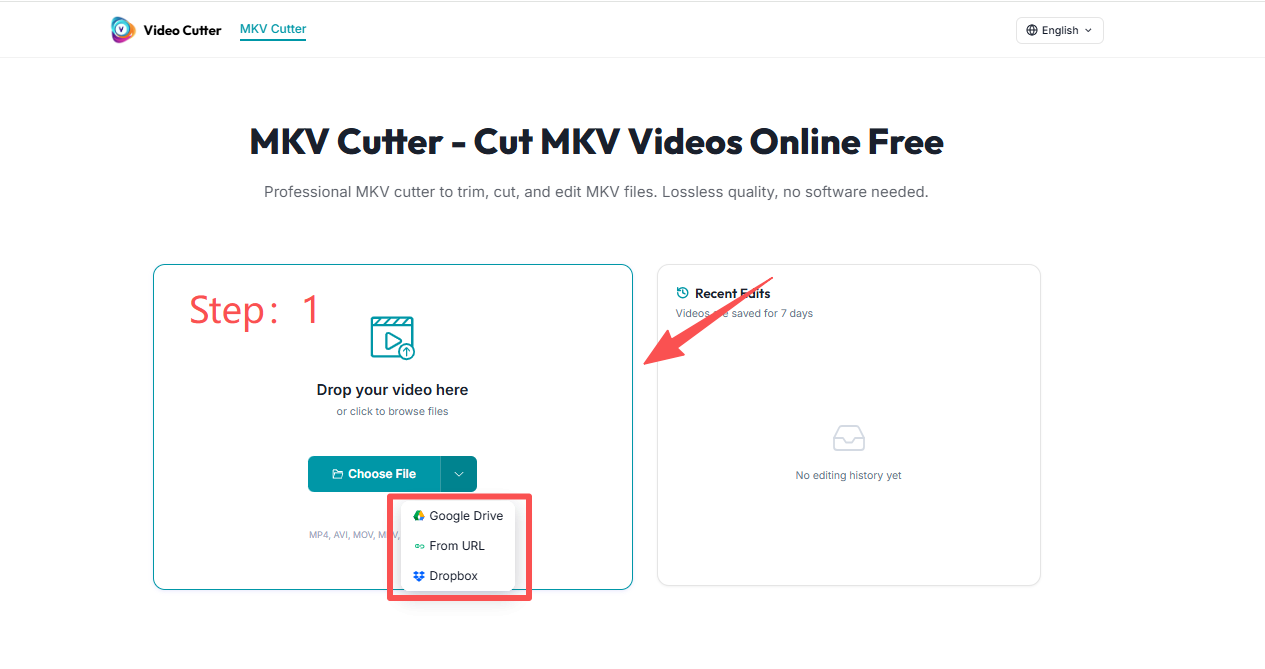
Step 1: Upload Your Video
Choose your file and upload it to an online video splitter. Most tools support formats like MP4, MOV, AVI, and MKV.
If you’re working with larger recordings, make sure the tool supports splitting large video file online without compression.
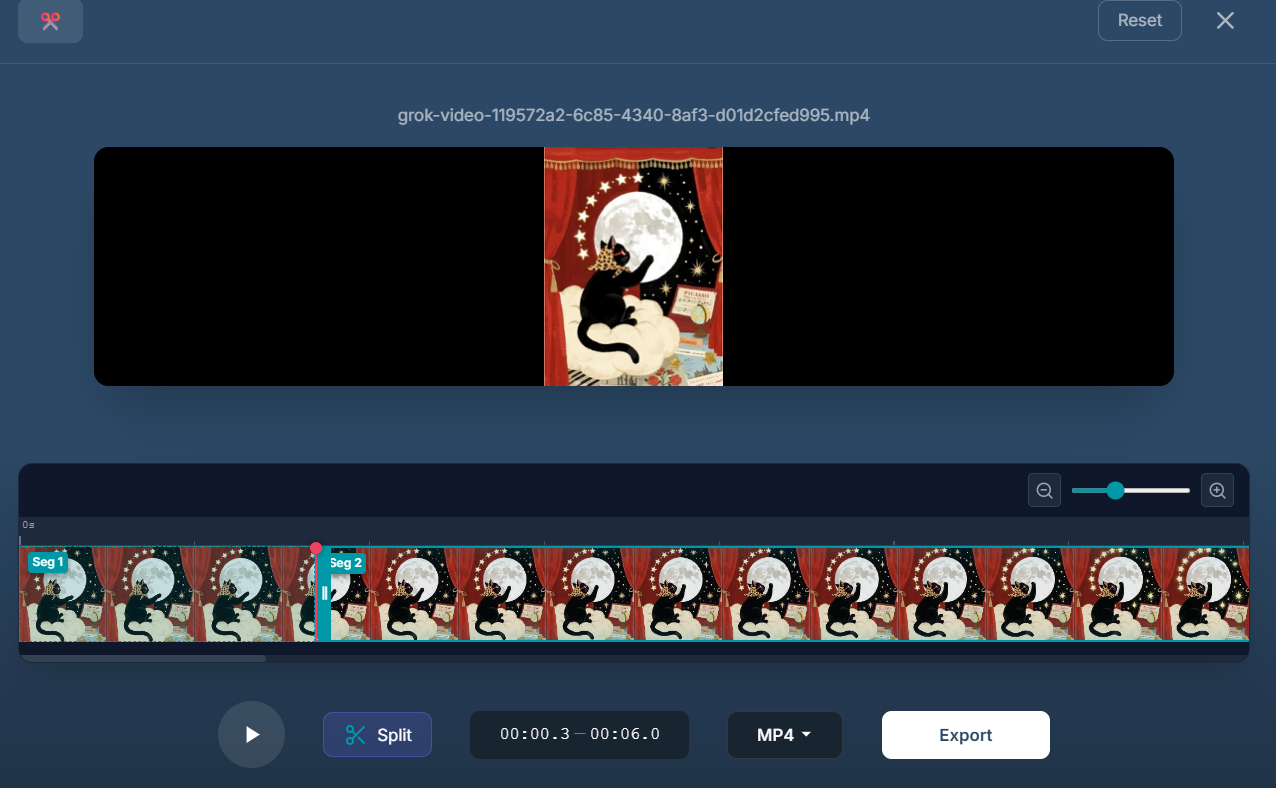
Step 2: Set Start and End Points
Use the trimming timeline to define where each segment should begin and end.
This is where precision matters. A good video splitter online lets you:
- Adjust frame by frame
- Preview before exporting
- Create multiple segments at once
Step 3: Export or Download
After selecting your split points, export each segment individually.
The best tools allow you to:
- Split video online without watermark
- Maintain original resolution
- Avoid re-encoding whenever possible
If you don’t want to install anything, this method lets you cut video online without software — which, honestly, saves time.
Can You Split Large or 4K Videos Online?
Short answer: yes, but it depends on the tool.
Some online editors struggle with high-resolution files. However, modern platforms can now:
- Split 4K video online
- Handle large screen recordings
- Process files up to several hundred MB
The key is whether the tool trims the container file directly or fully re-encodes it.
When splitting large video file online, browser performance and internet speed also matter. So if you’re working with huge footage, patience helps.
Does Splitting Reduce Video Quality?
This is probably the most common concern.
Does splitting video reduce quality?
It shouldn’t — at least not if done correctly.
There are two main methods:
1. Re-encoding
The video is processed again, which can slightly reduce quality.
2. Smart segment extraction
Only the selected portion is cut from the original container without recompressing.
If you want to split video online without losing quality, look for tools that mention:
- No re-encoding
- Lossless cutting
- Original bitrate preserved
When done properly, you can split video without re-encoding and keep everything intact.
Online Video Splitter vs Desktop Software
Now let’s talk comparisons.
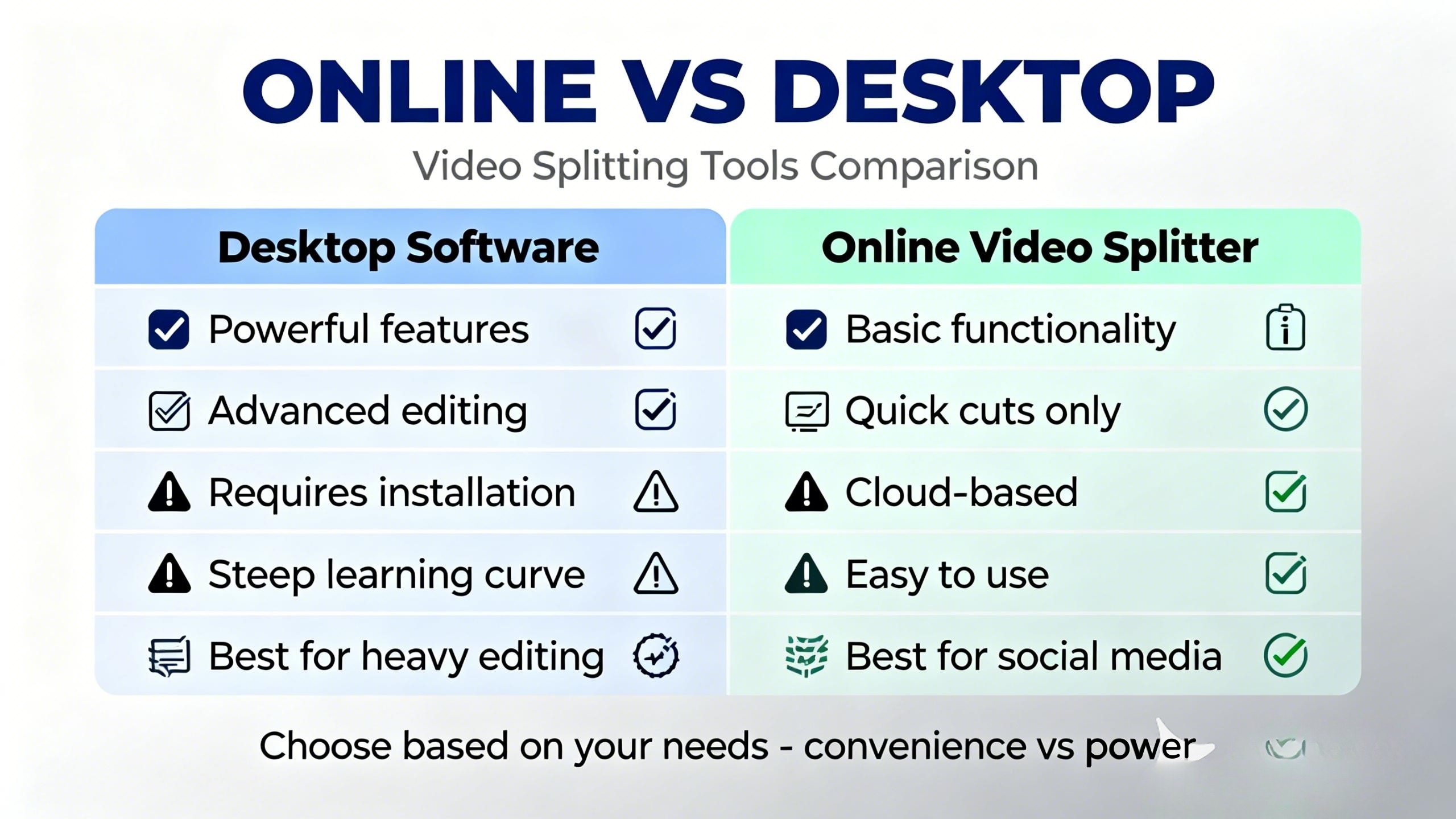
Online video splitter vs desktop software
Desktop programs are powerful. They often support advanced editing, effects, and timeline control.
But they also:
- Require installation
- Take up storage space
- Have learning curves
An online video splitter is better suited for:
- Quick cuts
- Simple segmentation
- Social media preparation
- Casual editing
If you only need to split video online vs download app, the browser option usually wins for convenience.
That said, for heavy editing workflows, desktop tools still have their place.
Best Free Online Video Splitter in 2026
So what’s the best free online video splitter right now?
It depends on what you value.
If you want:
- Split video online without watermark
- No software installation
- Support for multiple formats
- Fast browser processing
- Simple interface
Then a streamlined web-based solution often makes the most sense.
For users who just need to cut video online quickly — not produce a Hollywood film — lightweight tools are usually enough.
The best tools focus on doing one thing well: clean, precise splitting without unnecessary complexity.
FAQ
How to split video online free?
Most browser-based tools allow you to upload a file, define cut points, and download segments without payment. Just make sure there are no watermark restrictions.
How to cut video online without software?
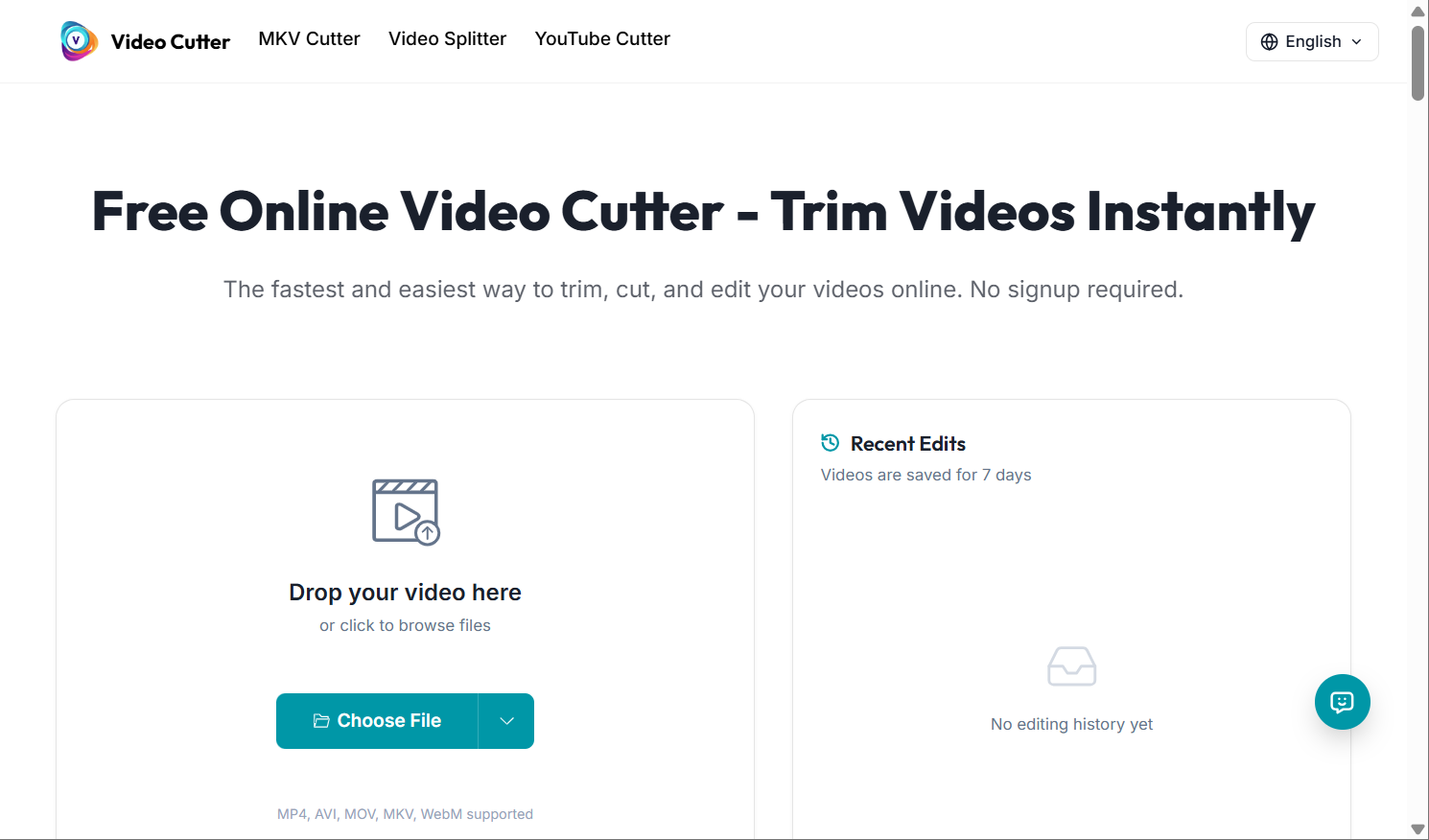
Use a video cutter video splitter online. Upload your file, adjust the timeline, and export. No installation required.
How to divide a video into smaller parts?
You can divide a video into smaller parts by setting multiple start and end markers in an online video splitter and exporting each segment individually.
Can you split video online for free?
Yes, many tools offer free splitting features, though some may limit file size or export quality.
Does splitting video reduce quality?
Not if the tool uses lossless trimming. Avoid tools that automatically re-encode your video.
Can I split 4K video online?
Yes, as long as the platform supports high-resolution uploads and your internet connection is stable.
Is it better to split video online or use a desktop app?
For quick edits and simple cuts, splitting video online is faster and more convenient. For advanced editing, desktop software may offer more control.
Final Thoughts
Splitting a video really shouldn’t be stressful.
Sometimes you just need a quick online video splitter to break a long file into smaller clips before uploading to YouTube or TikTok. Other times, you only want to cut video online — maybe trim an intro, remove an awkward pause, or clean up the ending without installing heavy software.
And if you’re working with recordings in MKV format, things can feel a bit trickier. Instead of converting the file and risking quality loss, it’s often smarter to directly MKV cutter and keep everything intact.
At the end of the day, it’s less about the tool and more about the workflow. The best solution is simply the one that lets you make clean cuts, keep the original quality, and move on with your project without overcomplicating things.